pre-alpha. The TypeScript API may still shift. The SQL won't.
sqlfu
npm install sqlfu

all you need is sql.

Put the data layer in files your team can review: definitions.sql for the schema, migrations/*.sql for history, and sql/*.sql for queries. sqlfu turns those files into typed wrappers, migration drafts, and named runtime calls.

I know sqlfu
1. schema + migration

Your schema as SQL

Edit definitions.sql to the shape you want. sqlfu draft compares that desired schema with replayed migration history, shows the smart diff, then writes the reviewed migration file.

Read about the migration model
definitions.sql
create table posts (
  id integer primary key autoincrement,
  slug text not null unique,
  title text not null
+ published integer);
terminal
$ npx sqlfu draft
│
◇  Create migration file? ─────────────────╮
│                                          │
│  alter table posts                       │
│  add column published integer;           │
│                                          │
├──────────────────────────────────────────╯
╰──────────────────────────────────────────╯
◆  Continue with this body?
│  ● Yes
│  ○ No
│  ○ Edit with code
│  ○ Edit with vi
│  ○ Edit with nano
Wrote migrations/00002_add_published_to_posts.sql
2. typescript generation

Your queries as SQL

Query files are the source. sqlfu generate determines their types based on definitions.sql, then emits TypeScript wrappers with typed params, typed result rows, and the query name attached for runtime use.

Read about type generation
sql/queries.sql
/** @name getPosts */
select id, slug, title
from posts
where published = 1
order by id desc
limit :limit;
$ npx sqlfu generate

Updated generated file:
  ./.generated/queries.sql.ts
import {getPosts} from "./.generated/queries.sql.ts";

const posts = await getPosts(client, {limit: 10});
//    ^? Array<{id: number; slug: string; title: string}>

posts.forEach((post) => {
  console.log(post.slug + ": " + post.title);
});
3. runtime

One client interface, many drivers.

Your app code takes the sqlfu Client interface. sqlfu ships with many (very thin!) adapters, with graceful fallback for features like prepared statements depending on client support, and proper handling of synchronous clients. Pick from Node, Bun, better-sqlite3, libsql, expo, browser via wasm, Durable Object storage, and more.

Choose an adapter
src/app.ts
import type {Client} from "sqlfu";
import {getPosts} from "./.generated/queries.sql.ts";

export async function renderFeed(client: Client) {
  const posts = await getPosts(client, {limit: 10});

  return posts.map((post) => {
    return "<article><h2>" + post.title + "</h2></article>";
  }).join("");
}
import {DatabaseSync} from "node:sqlite";
import {createNodeSqliteClient} from "sqlfu";
import {renderFeed} from "./src/app.ts";

const db = createNodeSqliteClient(
  new DatabaseSync("app.db"),
);
const html = await renderFeed(db);
import {Database} from "bun:sqlite";
import {createBunClient} from "sqlfu";
import {renderFeed} from "./src/app.ts";

const db = createBunClient(
  new Database("app.db"),
);
const html = await renderFeed(db);
import Database from "better-sqlite3";
import {createBetterSqlite3Client} from "sqlfu";
import {renderFeed} from "./src/app.ts";

const db = createBetterSqlite3Client(
  new Database("app.db"),
);
const html = await renderFeed(db);
import Database from "libsql";
import {createLibsqlSyncClient} from "sqlfu";
import {renderFeed} from "./src/app.ts";

const db = createLibsqlSyncClient(
  new Database("app.db"),
);
const html = await renderFeed(db);
import sqlite3InitModule from "@sqlite.org/sqlite-wasm";
import {createSqliteWasmClient} from "sqlfu";
import {renderFeed} from "./src/app.ts";

const sqlite3 = await sqlite3InitModule();
const db = createSqliteWasmClient(
  new sqlite3.oo1.DB(":memory:"),
);
const html = await renderFeed(db);
import * as SQLite from "expo-sqlite";
import {createExpoSqliteClient} from "sqlfu";
import {renderFeed} from "./src/app.ts";

const db = createExpoSqliteClient(
  await SQLite.openDatabaseAsync("app.db"),
);
const html = await renderFeed(db);
import {DurableObject} from "cloudflare:workers";
import {createDurableObjectClient} from "sqlfu";
import {renderFeed} from "./src/app.ts";

export class Blog extends DurableObject {
  async fetch() {
    const db = createDurableObjectClient(this.ctx.storage);
    return new Response(await renderFeed(db));
  }
}
4. batteries

Built-in goodies (if you want them)

Mostly you just need to ask your agent to write normal SQL files. sqlfu has great DX for covering review, tracing, linting, agent handoff, and more.

terminal
$ npx sqlfu check
definitions.sql, migrations, and database agree

$ npx sqlfu migrate
Applied 20260501090000_add_published_to_posts.sql

$ npx sqlfu sync
Database already matches definitions.sql
terminal
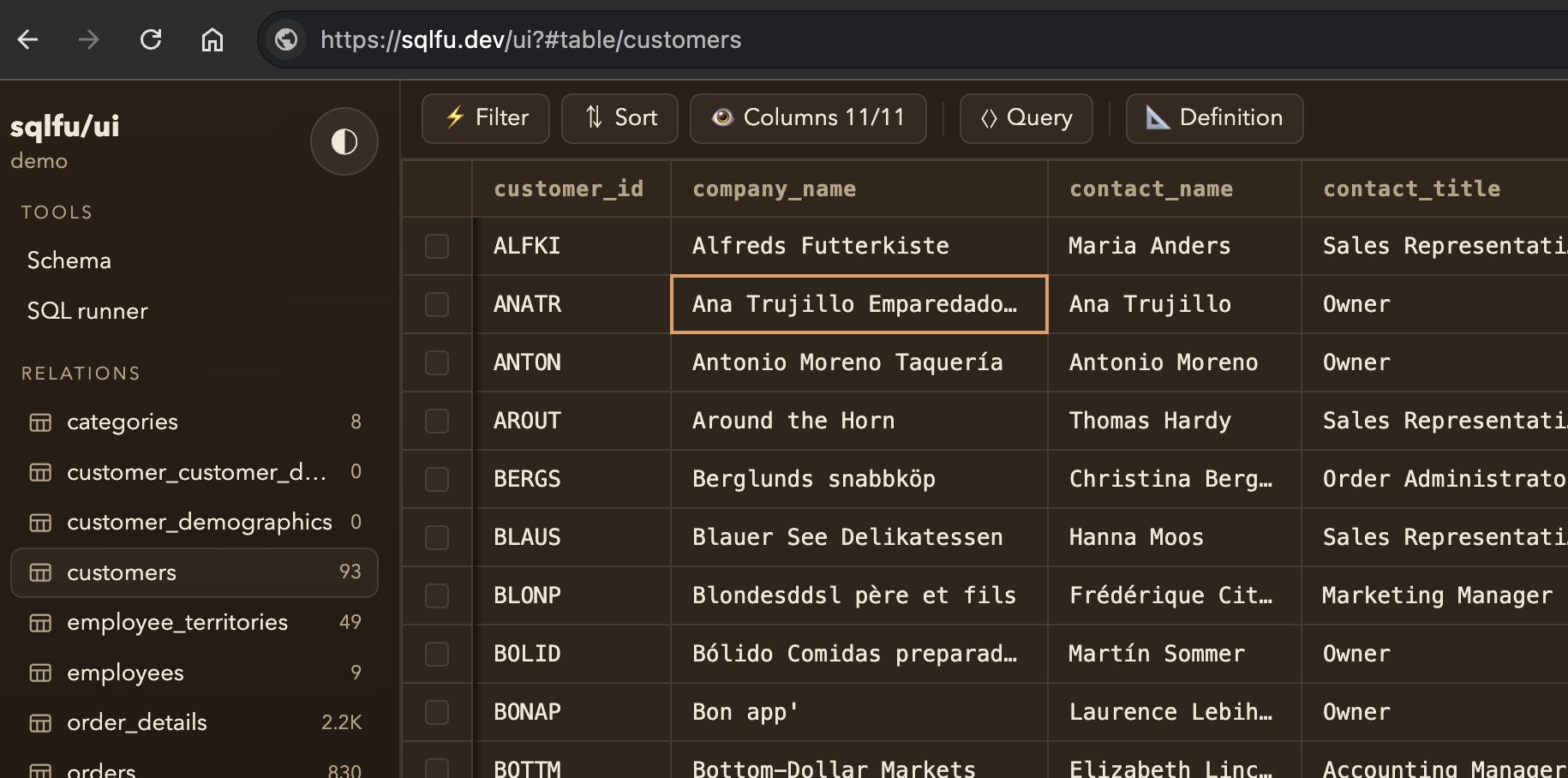
$ npx sqlfu
sqlfu ready at https://sqlfu.dev/ui
sqlfu UI showing a customers table
src/server.ts
import {instrument} from "sqlfu";
import {getPosts} from "./.generated/queries.sql.ts";

const client = instrument(
  baseClient,
  instrument.otel({tracer}),
);

app.get("/posts", async (c) => {
  const posts = await getPosts(client, {limit: 10});
  return c.json(posts);
});
trace GET /posts
duration 42 ms
named query span sql/queries.sql#getPosts
GET /postshttp.server 42 ms
getPostssqlfu.query 8 ms
select postssqlite all 5 ms
serialize responseapplication 17 ms
sqlfu.query
getPosts
sqlfu.file
sql/queries.sql
db.system
sqlite
params
limit: 10
terminal
$ npx eslint sql/queries.sql src/app.ts

sql/queries.sql
  1:1  error  generated wrapper is stale; run npx sqlfu generate
       sqlfu/generated-query-freshness

src/app.ts
  8:21 error  use ./sql/.generated/queries.sql.ts instead
       sqlfu/query-naming
terminal
$ npx sqlfu format "sql/**/*.sql"

Formatted files:
  sql/queries.sql
  definitions.sql
terminal
$ npx skills add mmkal/sqlfu/skills/using-sqlfu

Installed using-sqlfu
Agents now know to edit SQL first, run sqlfu draft, and regenerate wrappers.
sam sam @samgoodwin89 I do love raw dogging SQL tuxedo sam tuxedo sam @NotTuxedoSam the unreasonable effectiveness of just putting everything in a database and handing an agent a SQL tool